Showing posts with label vector. Show all posts

October 27, 2011

RELOAD! Reactions

(Reactions besides immediately reloading...)

Click image for larger version
This is a family of designs that I feel gets...less reactions than I would like. As much as I might tout my obsession with my arachnophobia, RELOAD! is kind of my flagship design. And even when they do get reactions, I always get a sense that the people reacting to it are not fully aware of what it is that my designs are depicting. As some of you may know, the whole premise behind my RELOAD! designs—which up to this point include the GI1911 2.0GI1911 1.0 (pictured here), and another which I've yet to present in a blog—feature semi automatic pistols with their slides locked open, signaling that they've run out of ammo. It's that little detail which I feel people don't quite understand, which is fine, but still an unfortunate wasted of human visual recognition capabilities. I think people would enjoy or appreciate it a little more if they were able to connect the text with the imagery.

I suppose that Hollywood is partly to thank for its continual depiction of pistols who only indicate that they are empty when the trigger is pulled and they go click. But mostly, it is the reality that most people don't have any real understanding of how firearms function. I mean, Hell, even during my time in service, a majority of us were taught only as much as we needed to know about the firearms that we handled on a daily basis. Even the manuals I read incorrectly stated that Condition Two "does not apply to the M9 Service Pistol". What?!


But, it's Ok. I understand that most people might never need, or care, to know all of these things. Like the cycles of operation (firing, unlocking, extracting, ejecting, cocking, feeding, chambering, locking), or the differences in between a recoil operated gun and a blowback operated gun, as examples. I get that not everyone's brains are sponges for information. But with that rant (and my revelation that I've got a bit of a hard-on for the guts and inner workings of firearms) out of the way, I think you might have a better understanding of some of the...validation that I felt when the following happened. These are the exact words that I posted as a status on Facebook on the 12th of this month, minutes after it happened:

"So, I'm walking to get my mail, and I notice two Sheriff's patrol cars parked up ahead. I notice that one of the deputies has his passenger side's door open, and he's pouring some kind of solution onto his hands and scrubbing away. (Probably just got done busting someone's head open or something.) Anyhow, as I get closer, he faces in my direction, and then keeps starring at me. I can see he's squinting his eyes even. So I'm thinking 'Grrrreat! What now?...', and right when I'm about 10 feet away he says 'Nice shirt!' So I respond 'Thanks!' while thinking 'Whew.' Figures though, that it would take someone who carries a pistol around all day to appreciate my 'RELOAD!' design..."

Hahaha. I'm such a little kid, huh? The specific design I had on was the one pictured above, in all white and on a black t-shirt, so it's what I'd call high visibility. Speaking of, I've actually been thinking of updating the 1.0 design, since it was one of the very first for Flex printing vector designs that I've made. I've gotten working within the restrictions down to more of  a science now, so feel like I could do a better job. I'll probably leave it alone until I've cranked out several more of the designs on my list though. I've got enough on my plate just with those as it stand. Well, that's about all I have or this update. Be sure to swing by the shop if you want any of these designs for yourself, and to see what's new. (I'll probably get around to updating the look in that place soon here as well.) So, until the next time, y'all get out here!

J, out...

October 19, 2011

Next Needs Up: "Demon(s)"

(Have I mentioned how much I love titles? Coming up with and giving them to things, namely? You should see the files in my computer. Sometimes [...] sits here trying to find my pictures so she can reminisce on something and she just gets frustrated at how little sense it all makes to her. Haha.)

Anyhow, here's the first design entry in the Next Needs Up series. (But be sure to stop by and read this post first, if you haven't already gotten acquainted with Next Needs Up's origin story.)

Click image for larger version
Here, to the right, is the official (*cough*!) design document...

So, Ok, maybe it isn't so "official" looking. Or even very clean and thought out! (Excuse alert! Brace yourself...) But I'm not on a "team", so I've got little need to create accurate visualizations of what I have in mind for anyone else to follow. I've pretty much got what I want fully visualized in my head, so a quick, messy sketch like this one, with the only "corrections" or "revisions" being substituted by chicken-scratchy notes works perfectly.

If you took a second to read said notes (if you can read my handwriting...), then you should be getting an idea of what Next Needs Up's "essence" is. If I had to put it into as few words as possible, I would have to say that it is tension, discontent, confusion, and anxiety, overall. He's a character that I've always imagined would look shaky and jittery at all times, stopping to look over his shoulder every so often. It's possible that it was born from my arachnophobia. (Which, I should probably note, a friend mentioned that she doesn't believe that I'm scared of spiders very much anymore, after spending the last few years obsessed with them. She might be right.)

Click image for larger version
And here is Next's  full body, simplified "icon" rendition, based on the above shown sketch. Not that it wasn't already a streamlined character, but these lines capture the basest essence perfectly, I feel. I am pretty happy with it as an icon for Next. I called this design "Demon"...at first. If you noticed, the title makes mention of there being a plurality of this "Demon".

Some artifacts, that come from my design process when working with vectors, created some questions in my mind, as to which "Demon" version I should choose to represent Next with. I will attempt to explain this as plainly as possible. Basically (you know you're in trouble when I start a sentence with that word), to make the negative spaces that form the eyes and the fanged frown, I used curves with no fills and strokes set to about 0.04 of an inch (Spreadshirt's minimum size for space between elements) in size. With them, I made the circles for the eyes and the lines for the frown and fangs on a layer on top of the solid shape that I had set down for the body. I then flattened the transparency to turn the strokes into outlines, then selected them and the body shape and merged them using the pathfinder window. (Found under "Window > Pathfinder", or by hitting "Shift + Ctrl + F9") The strokes were colored differently from that of the body shape, so when I merged their outlines on top, everything on the body shape that was underneath them was subtracted. And, since they were a different color from the body that they were merged to, all I had to do was select them on their own, with the "direct selection tool", delete them, and voilĂ !

Here's how the design looked by this point. The leftover circles in the eyes, and the triangular shapes in the fangs are the "artifacts" that I mentioned. Next, again with the direct selection tool (shortcut key "A" in Illustrator), I proceeded to select the circles in the eyes and deleted them. No qualms there, since the big, empty eyes communicate what I wanted the design to perfectly. But then, I selected the triangular shapes, deleted them, and stopped and thought, "Hm...does it look better with or without the triangular shapes filling that space?" So, I undid it and stared at it for a while. Then deleted them again. And undid. And deleted again. Finally, I copied it over to compare them side by side. Still undecided, I took a picture of them with my cellphone and sent it to several of my friends, in hopes the they would help me defeat my indecision. (One of them being Adlyn, of course. With her being Next Needs Up's "godmother" and all...) The verdict was mostly mixed, but one of the people who replied asked why I couldn't use both. Brilliant! Why couldn't I think of that?!

So I uploaded both, naming the one with negative space for eyes and fangs "Demon Alpha", and the one with shapes for fangs "Demon Beta". Not long after, I decided to also make one with shapes for both its eyes and fangs, and one with only shapes for eyes available, and renamed the whole bunch. Here they are, from left to right. Demon Alpha, Demon Beta, Demon Delta, and Demon Gamma. What a happy (but tense, confused, and anxious) family, huh?

Click image for larger version

They're currently available as Flex prints as either singles, pairs, or trios, grouped by type, and arranged horizontally. (For example here's an example of a trio of Alphas.) That's all I have for this one. I'm not making any promises or predictions, but I'm going to try and crank out as many posts as possible so I can catch up to all of the designs which I've yet to cover. Feel free to swing by the shop if you want to sneak a peek at any of these. (Or purchase a t-shirt or accessory with the design on it to see it in its full glory.) Until the next time, y'all carry on, I'll be going to sleep!

J, out...

November 18, 2010

Once a Backstabber, Always a Backstabber; The Tanto

(you can count on that)

Upon sitting down to start preparations for my next "deviation" blog, I realized that I hadn't actually gone over one of the designs that I would be featuring a deviation for. Obviously, that's no good, so here I am!

For this post, I will be (briefly, I predict) going over a "Backstabber" variant, this time (if you had't surmised as much from the title) featuring a Tanto. As mentioned in this follow up Backstabber post I plan on making several other Backstabber variant designs, featuring all sort of pointy objects. With as many ideas as I have coming into my head, it's difficult to actually execute on very many of these (and yes, I have a long list of Backstabber variants already). I won't even mention my time constraints (but I did)!

So, the same as with the KA-BAR, I created a Tanto "icon". The process was pretty much the same. The reference image used was this one. I like it. It's plain, clean, sharp, and gets the message across (that being "Hey, look! I'm a tanto!!"). Next I opened up my Backstabber "work" file (I save the "work" and "finalized" versions of every design separately. Makes it 79% easier to go back and make any fixes or revisions), removed the KA-BAR, and readjusted the blood a bit. Once the Tanto design had been completed (you can't really tell, but I'm pretty anal about these designs, and the final appearance betrays the attention to detail that goes into it), the rest was pretty much just about orientation and what-not.

Anywho, here's what the "Tanto Backstabber" looks like. I'm considering (meaning, I will...just not yet) creating some "Backstabber" text of my own (meaning not from one of the template Illustrator fonts), so I haven't actually gotten a t-shirt of my own with this design on it yet. With as many Anime/Japan geeks as there are in my school though, I'm sure several would stop and ask me about it if I wore it (sure, the KA-BAR Backstabber that I wear every now and then gets reactions, just...y'know).

In other news, a recent gaffe involving a digital direct print has halted some of my Spreadshirt shopping progress. Basically, I want to wear this damn design (done right!), so I'm waiting until the return gets back to them and they credit it to me before trying again. Until then I'm gonna sit here (not the whole time, mind you) and wait for the email with the digital coupon code. I understand that they'd recently become very backed up (some partner's shop was getting a massive amount of orders for digital direct printed designs), and they had to up production by adding more personnel and working throughout the week, so I'm attributing it to that (especially since the t-shirt that I ordered with my "GI1911 RELOAD! 2.0" printed on it over half a year ago looked awesome, and still does after many washes!).

Well, I'll stop boring you with my personal problems now. I'm gonna try a little harder to at least do one of these a week, so that I can finally get caught up. The designs featured in my shop with a blog post of their own are currently outnumbered by the ones without, and I'm not exactly happy about that. It sort of dissuades me from getting to cranking out some of my other ideas, because that will just back me up more on this end, and that's not good if getting more designs into my shop is my goal. That's enough for now. Until next time, carry on!


J, out...

June 27, 2010

RELOAD!...1.0?

(the pseudo predecessor)

As those of you who read this blog might know, 2.0 came before 1.0, so why the backwards number designation? Well, I explained it in that first "RELOAD!" post, but I will go over it again briefly. Basically, even though I made the decision that this would be a "twin" design (two versions of it would be produced) from the very beginning, 2.0's full color, dynamic perspective, and realistic representation of the M1911A1 just made it feel like the more "modern" design. While 1.0's more iconic, flat, minimalistic representation seemed like the more "primitive" of the two, thus the number designations for each. Now that the nomenclature has been beaten around some, let's move on to the execution!

My first step, in case you couldn't guess, was to find a good reference! But...finding a 1911A1 with its slide locked open, from a profile view, was basically impossible. Hell, finding the reference for 2.0 was easier! It seemed that I would have to acquire one of my own to photograph to get exactly what I wanted. The best I could do was to, basically, "compose" my own out of what was available. I ended up having to settle for these two. I basically only used as much as I needed from each, as show here (#1) and here (#2).

Refer back to this image if you need help locating the part of the pistol that I may be referring to.

So, basically, in trying to represent an authentic "A1" 1911 (also know as the "GI") I did the following; excluded both front and rear sights, "beaver tail" grip safety, and ring hammer from #1, then added the sights, "GI" grip safety, spur hammer, and arched mainspring housing from #2. Did I lose anyone yet?

(click image for larger view)

So...I'm just now realizing that I totally forgot to include the loop at the bottom of the mainspring housing that they would have attached the lanyard to. But...now that I think about it, if it wasn't a conscious decision made then (I think it could have been, but I would have remember...right?) then I am fine with that little omission. I think it looks fine as is without the lanyard loop. Moving on...

So my next step was to use Illustrator's pen tool with stroke and no fill. I outlined the parts of interest, selected all and switched it all to fill with no stroke. For the slide serrations, I left a rectangular area open there while creating the outline of the slide, then I returned, made a rectangle shape, and stretched it to be suitably high. Next, I played around with its width until I had what I felt was a thin enough (but at least wider than 0.06 inches, the minimum size restriction for flex prints on Spreadshirt) and multiplied it until I had enough of them to space out to a least the 0.04 inches of distance required.

My next challenge was to create a grip panel. I started by setting the pen tool to no fill with a 4 point stroke and outlined the grip panel, diamonds and all, making sure that the bottom end of it extended past what I already had of the frame. Next, with those strokes still selected, I went up to the top menu, under "Object", selected "flatten transparency" and checked the box that says "convert all strokes to outlines". This stroke was green in color, so when I selected everything and chose "merge" from the pathfinder window, it merge the green outline and made any of the red underneath it disappear (if the outline would have been red, like the rest of the design, it would have just become one with the rest). All I had to do then was use the "direct selection tool" to pick the green outline, delete it, and voila! An illusion of a grip panel was created. The process to create the negative spaces representing the pins and screws was the same, except that I used the ellipse tool set to fill and no stroke and made sure to make circles wider than 0.04 of an inch.

Last, but not least, I used the text tool, found the font that I felt fit the design the best, messed with the kerning, flattened it with the "convert all text to outlines" option selected, played with its sizing, distance from, and orientation to the 1911 until it felt right, and called it a night! So there you have it, as pictured above. This is the "GI 1911 RELOAD! 1.0"...

Interesting to note is that I have gone back and adjusted the spacing in between the text and the pistol, and made the text a different color from that of the 1911 since first producing this design. I wanted to give anyone ordering a t-shirt with the design more room to personalize its colors as much as possible. Sure, two color flex designs (referred to as "flock" there) cost more, but if one makes the color of both the pistol and text the same, the price will actually adjusts down to that of a single colored design. This makes my life easier because now I don't have to worry about uploading and managing two separate files!

That's pretty much all I have for this one! Been wanting to get this blog out of the way (believe it or not, I find creating art more fun that blogging) for a good minute! As mentioned previously, my shop is open for business! A link to it can also be found in my Spreadshirt user page, which you can find by viewing my "complete" Blogger profile on here.

Well, now that I have all of that out of the way, I will leave you to your devices! Until next time, carry on.

J, out!

June 20, 2010

Brand, version 3.0 (or "Let's Get to it Already!")

I've been posting updates about the "Brand" for a good while now, so I think it's about time that I got on with it. I've already made a post about how I came up with the design and so on. Not a day later and I posted another update about a change of heart I had on the usage of the brand, for sake of keeping the costs as low as possible. And finally, just last week, I posted an update about some of the changes that the Brand has gone through during the time since I made that first post debuting it, but it was nothing but vagueness, so I'm addressing it here!

My first reason for changing the first design was that it was not compatible with "Flex" printing. The simple way to explain it is that sections of a vector design have to be at least 0.06x0.06 inches big, and spaces in between sections need to be at least 0.04x0.04 inches big. Obviously (or not, just from looking at it), the first Brand design did not meet the criteria, so a redesign was in order.

The way I tackled it was pretty simple, and looking back, I could have probably gone with a thinner type face, since the type I went with was definitely much wider than 0.06 of an inch. Anyhow, I opened the design with the original spider by itself in Illustrator, took the eraser tool sized to a circle approximately 0.04 of an inch wide, slashed through the divisions already in place on the body and legs, joined the fangs with the thorax (as well as for making the points of the fangs hang downward), got rid of the eyes, and made leg sections thicker were needed, mostly near the ends. To finish, I then joined it with a thicker font and left the store URL out (font that small would obviously not fit withing the 0.06 inch width).

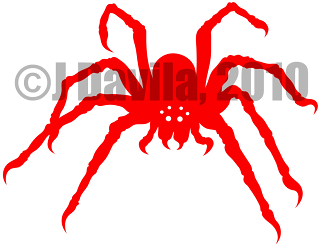
The image to the left here (click for larger version) is the final product of that effort. It's definitely not as organic as the original, and I dislike that the eyes are gone, but I like the legs thicker. I had a digital direct version (so that it would match the main design on the front, in color, feel, and texture) printed on the back of the "GI 1911 RELOAD! 2.0" t-shirt prototype that I ordered, but noticed that it was a little large for the role I wanted it to play (I wanted the "JR DAVILA" a bit higher up on my back, but the spider pushed it down a bit too much so it fell out of my vision for the placement), so I immediately decided that I would be redesigning it.

An aside, and something that doesn't really matter now (you'll see when I show you the final revision), was something else that my friend Cindy pointed out to me. She was reading the brand out as *JUNIOR* Davila, while I meant it to be read as *Jey-Ahr* Davila. When I told her this she went "But you ARE a Junior!", "That doesn't matter, it's supposed to be my first and middle initials!", "What, R****?", "Don't call me that!"

*Ahem!*... So, yes, that's why I'm not signing off as "JR" anymore, either. Moving on...

Fast forward two months (like 3 weeks ago) and I got some time to sit down and hash it out! Plugged my tablet in, opened up the original spider design, selected the pencil tool set to fill all strokes and went at it! It took me longer than I'd rather admit, so I'll just skip to it and show you the finished result!

(Click image for a larger version)

It's beautiful!...in, uh, it's very own, disgusting, creepy, arachnid kind of way (gag). And I was even able to add in (or would that be subtract out?) some eyes for it! That's one of my favorite parts about it. I'm going to post an update later with some of the doodles that I made while still trying to decide what my brand would look like, and explain the significance of the six eyes then.

Y'know what though? I'm surprised it took me all the way until this post to start mentioning Cindy, since she seems to be one of the only other artist critiquing my designs before, (more on that later) during, and after my creative sessions. So far, she's been the only person to question my choice to go with six eyes instead of eight. Of course, I quickly explained to her that some spiders have even less. Besides that she loved it though! She didn't actually see it until I was already wearing it on my "GI 1911 RELOAD! 1.0" tee. It rides right on my left shoulder blade on that t-shirt. She liked it so much that she wants me to get her something with just the spider on it though. She thinks it's "cute" (I strongly disagree that anything with 8 legs is cute, but...).

As far as usage for this brand design goes, as I mentioned before, it will be just for promotional purposes, so it will only go on t-shirts that I order for myself or for friends. I'll also be making PNG versions to coincide with any digital direct designs, and those will contain the shop URL in a crescent path around the spider.

That seems like just about everything I wanted to say about the brand for now. Keep a look out for the next post, when I'll return to muse about my "RELOAD!" design. It'll be a good one, I promise! Y'all carry on now.

J, out!

June 11, 2010

[Backstabber]

(These designs have been updated as of June 25, 2010)

Been talking about this one for a while, so let's get to it! To start, I'll give you a little bit of background on what brought about the idea...at least partly (I have so much going on in my head, and I take in so much stimulation from everything in the environment that either emits or reflects light  [is that impossibly inclusive enough?] that it's impossible pointing at all definite sources. I really don't know). Well, anywho, on to the story;

Basically, I enjoy playing Modern Warfare 2 as much as the next guy, and the manner in which I was playing (sneaking around then running up and stabbing enemies in the back) earned me the "Backstabber" title pretty early on. It wasn't until sometime later, when a friend of mine with a thing for violence and I were strolling through the mall, talking about my idea for the "Reload!" t-shirt that the vision came to me. A few more did also, and I even went and decided right then and there that I would call the line Blades & Blood, but this isn't about all that, so I'll move on...

From the start my vision was of a two color design, and I wanted it to be very...iconic. Do you get what I mean by that? By "iconic", I mean that I wanted the elements to be icons. To me this means simple, clean, crisp representations of the things depicted. Like the sign on a public restroom's door letting you know which gender it is for, or the sign that represents a person in a wheel chair over the handicap parking space. When you look at these, even though people don't look anything like how they are depicted, you know what they mean, almost at a primal level. I wanted the design to speak in the absence of any font or type...and yet, I didn't want it to be so simple that it would look unrefined. I didn't want the common representation of a knife people see everyday. Don't get me wrong, that plain old thing gets the message across, but I wanted something more. This had to be mine, I had to own it. With those things in mind, a vector design seemed like the best bet.

I began by choosing a knife with a powerful link to my past. The KA-BAR fighting knife. This knife - its pommel, hilt, and blade - are ingrained into the memories of my time served in the U.S. Marine Corps. The knife itself is iconic, and as far as I'm concerned (being a Marine, so I don't really know if the other services use it), it's a Marine fighting knife! So, now that I've given you the long back story, I can tell you about the design process...

 (Click the image for a larger version!)

First off, I don't have the image that was used as reference, but a look at any old KA-BAR will give you a pretty good idea of its basic build (so, yes, the blade is supposed to sit that far forward). Secondly, I want to make it clear that Spreadshirt has very strict standards on their "flex" printed designs, so these designs can be a bit of an undertaking (I got more stories, trust). The biggest restriction is that sections in a design cannot be smaller than 0.06x0.06 inches in size, and gaps between sections cannot be smaller that 0.04x0.04 inches in size. These restrictions in particular turn generating and finalizing these designs into some sort of artistic math problem!

Using Illustrator, I took the pen tool, set to stroke only, blocked out the sections that you see, selected it all, and then switched it all to fill with no stroke. The way that I created that oval with the negative space around it, on the spine of the blade, was by using the pen tool to shape out the form, set to stroke only, in a color different from that of the rest of the knife. I then went to the top menu, and under "Object", chose to flatten, checked the box that says "turn all strokes to outlines" and OK'ed it. After that I pulled up the "Pathfinder" window, and chose the "merge" option. This made it so that the part of the blade below the off-colored oval disappeared, so after that all I had to do was individually select the oval with the "direct selection tool" (shortcut key "A"), press "delete" and voila! An oval of sorts divided from the rest of the blade by a negative space.

Above and to the left you have the finalized KA-BAR icon design. That was about two thirds of the work.

My next step was to create a dripping, blood stain (I'm not sure how else to describe it) to stab  the KA-BAR into. It's kinda funny creating a design that you won't be using all of in the end...

To start, I free handed (with a tablet and pen) the blood with the pencil tool, set to fill, and used the eraser and such to refine it. Once I had its basic form down, I went and changed its aspect and size so that all of its parts fell within the 0.06x0.06 inch size minimum. I basically widened it a whole bunch. The initial design was much narrower. From there I took the KA-BAR and, like, castrated half of its blade (Did I mention how it bothers me that a part of the design that I am proud of isn't even being used?!) and messed around with its orientation until I got it to a place where it felt right. Below is the finalized "KA-BAR Backstabber" design, in all of its vectorized, digital glory!


(Again, click the image for a larger view)

So, yeah. There it is, boys and girls! Here's what one looks like on a t-shirt, in case you were wondering. I have a fellow "artist" friend who disagrees with the flatness of the KA-BAR, as he figures it would look more "dynamic" if it had some perspective to it, but the flatness and plainness is precisely what my vision was. So in the end his opinion, though appreciated, was kind of irrelevant. You can call it arrogance if you wish. I call it staying true to the vision and to the feel that I set out to achieve from the get go. This is meant to be an icon, not principled "art".

And....I think that's about all I have for this one.

If you have any questions, comments, or concerns, simply post them over in my comments and I'll see about getting back to you. Carry on!


J, out!